

We’ve had another busy period behind the scenes, resulting in a number of product updates and improvements included in these release notes. We strongly recommend taking a moment to read through them. Below, you’ll find a summary of all enhancements going live this month, along with a handful of accompanying bug fixes.
The changes are in the Demo environment already and we expect to launch into the live platform on Sunday evening (23rd November 2025).
Overview
Here's a quick roundup:
- New: Re-designed look of the GROW panels within a 1:1 session.
- Improved: Better visibility of system notifications for Admins
- New Features: Develop Module updates
- Fixed: Multiple tweaks throughout the tool (all listed below)
✨ NEW! Improved design of GROW panels in 1:1 and new coaching prompts
OpenBlend has always been built on the proven GROW coaching model, giving every manager/employee conversation a consistent, structured framework across the organisation.
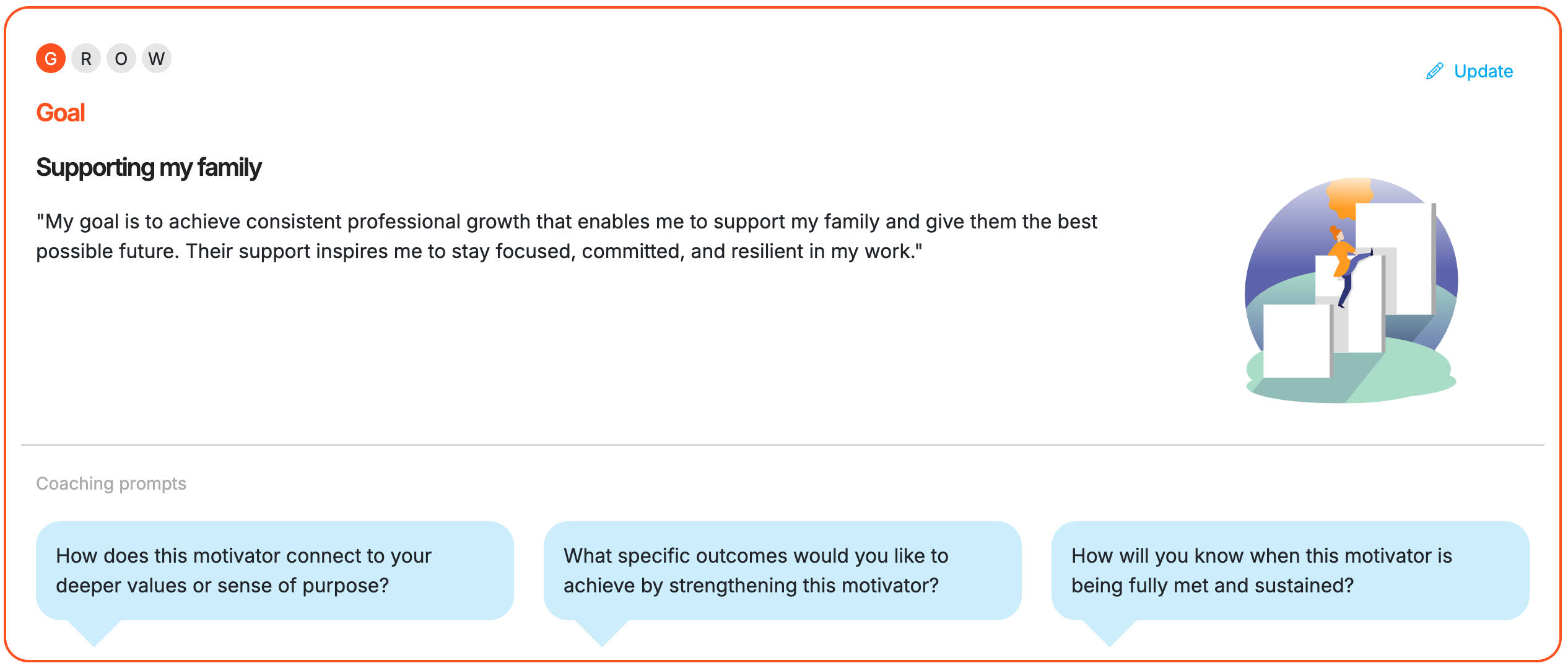
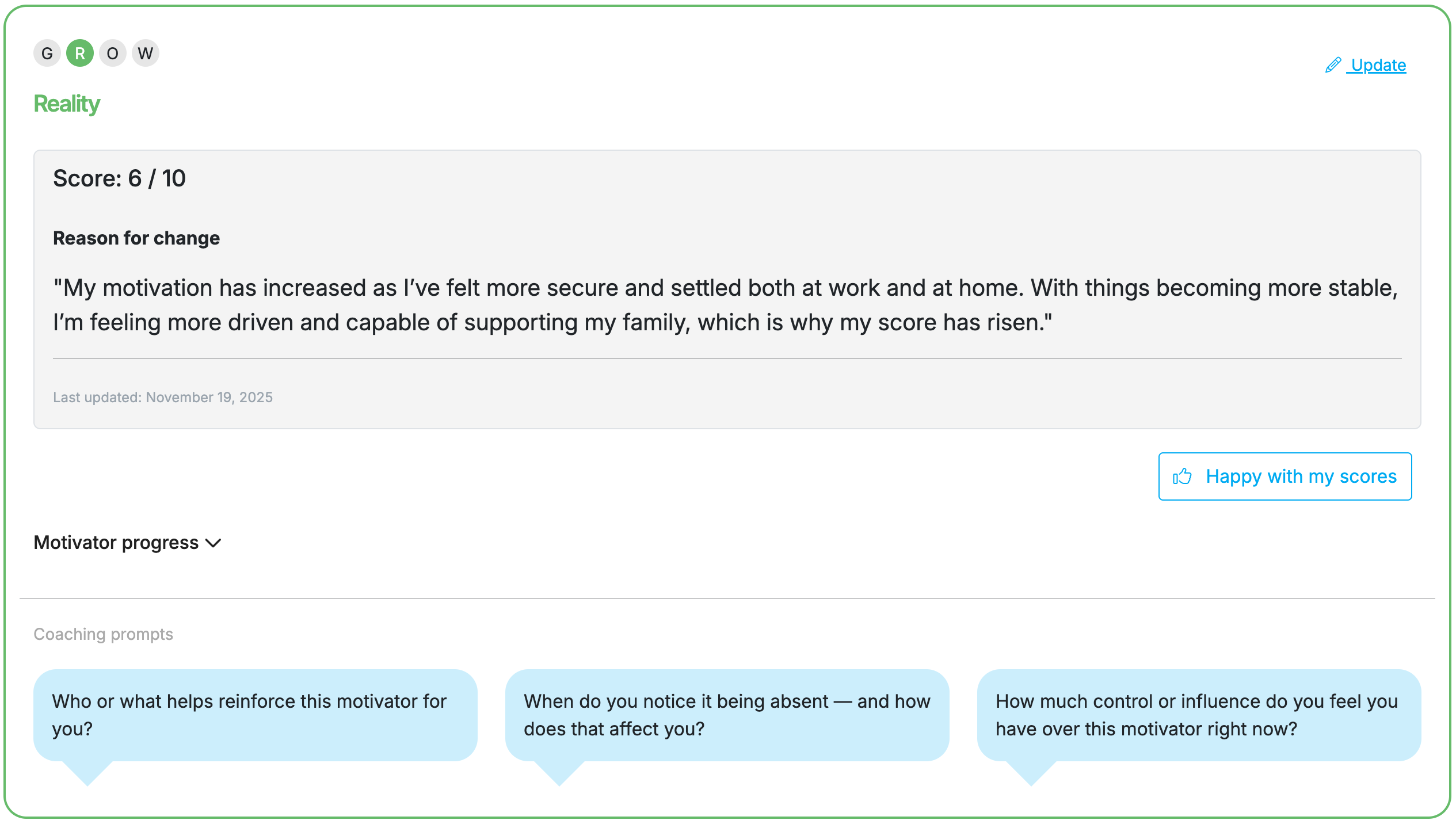
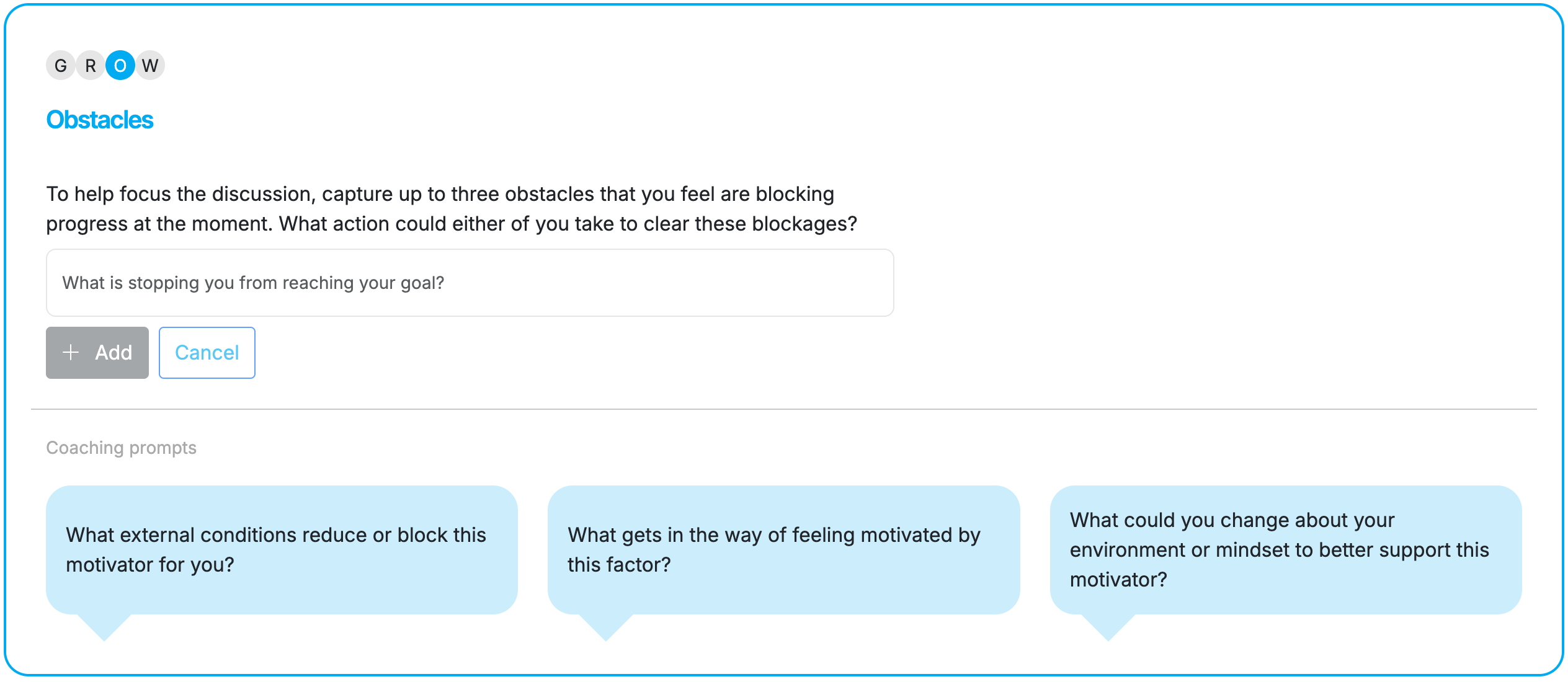
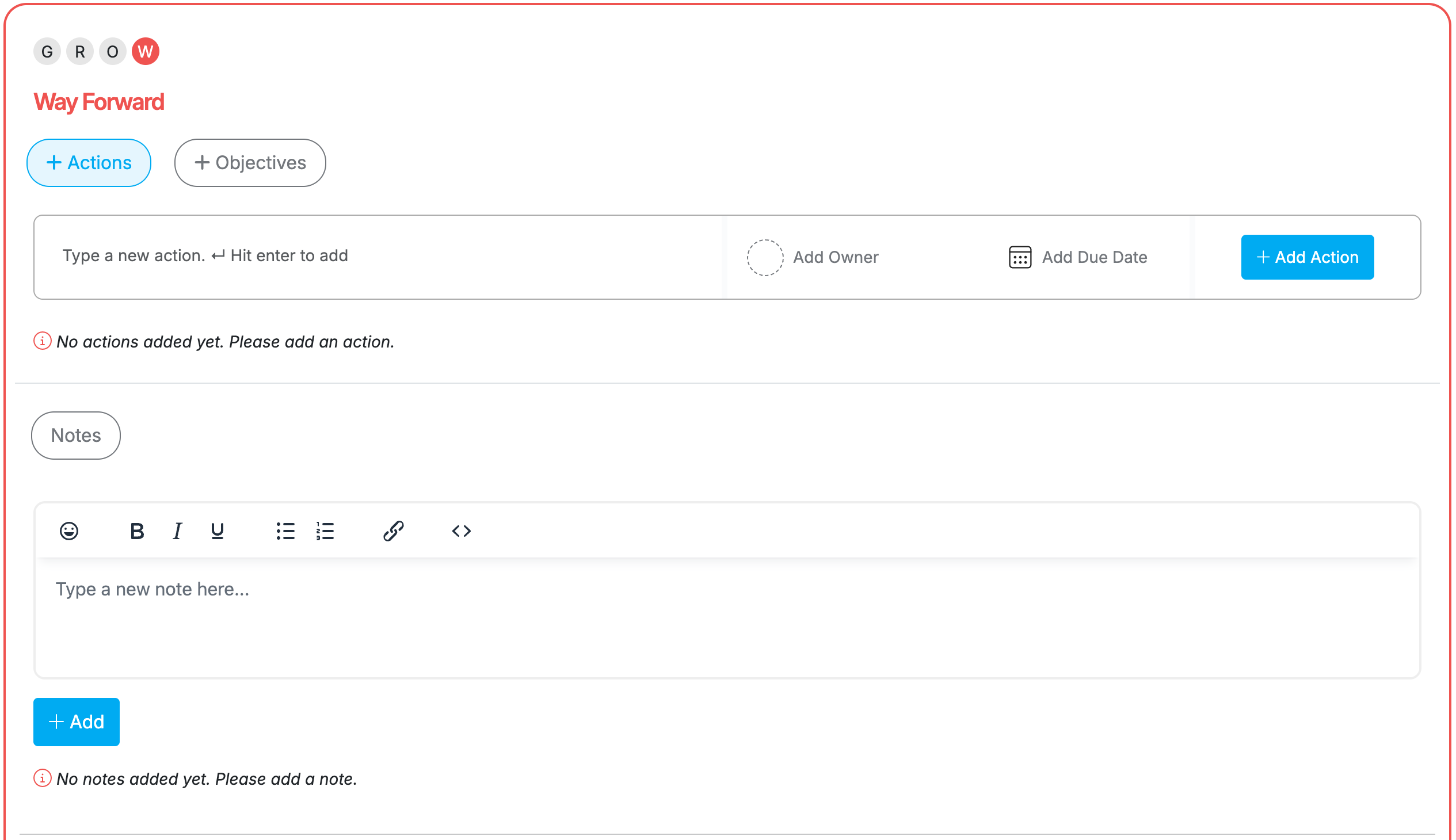
We’re excited to share a visual enhancement that makes this framework even clearer and more intuitive during 1:1s. While the core functionality remains unchanged, each stage of the GROW model - Goal, Reality, Obstacles/Options, and Way Forward - is now colour-coded and visually signposted with highlighted acronym letters and clearer panel titles. This creates a more guided experience, helping users instantly recognise where they are in the conversation journey.
We’ve also taken this opportunity to elevate the Coaching Prompts within each panel. These prompts are now tailored to the specific module you’re discussing, providing more relevant, actionable guidance to support richer, more effective conversations between managers and employees.
These updates are designed to make every 1:1 more focused, more engaging, and ultimately more impactful.
Examples for each new panels can be seen below for a Motivator Agenda Point:

✨ IMPROVED! Improved visibility of system notifications for Admins
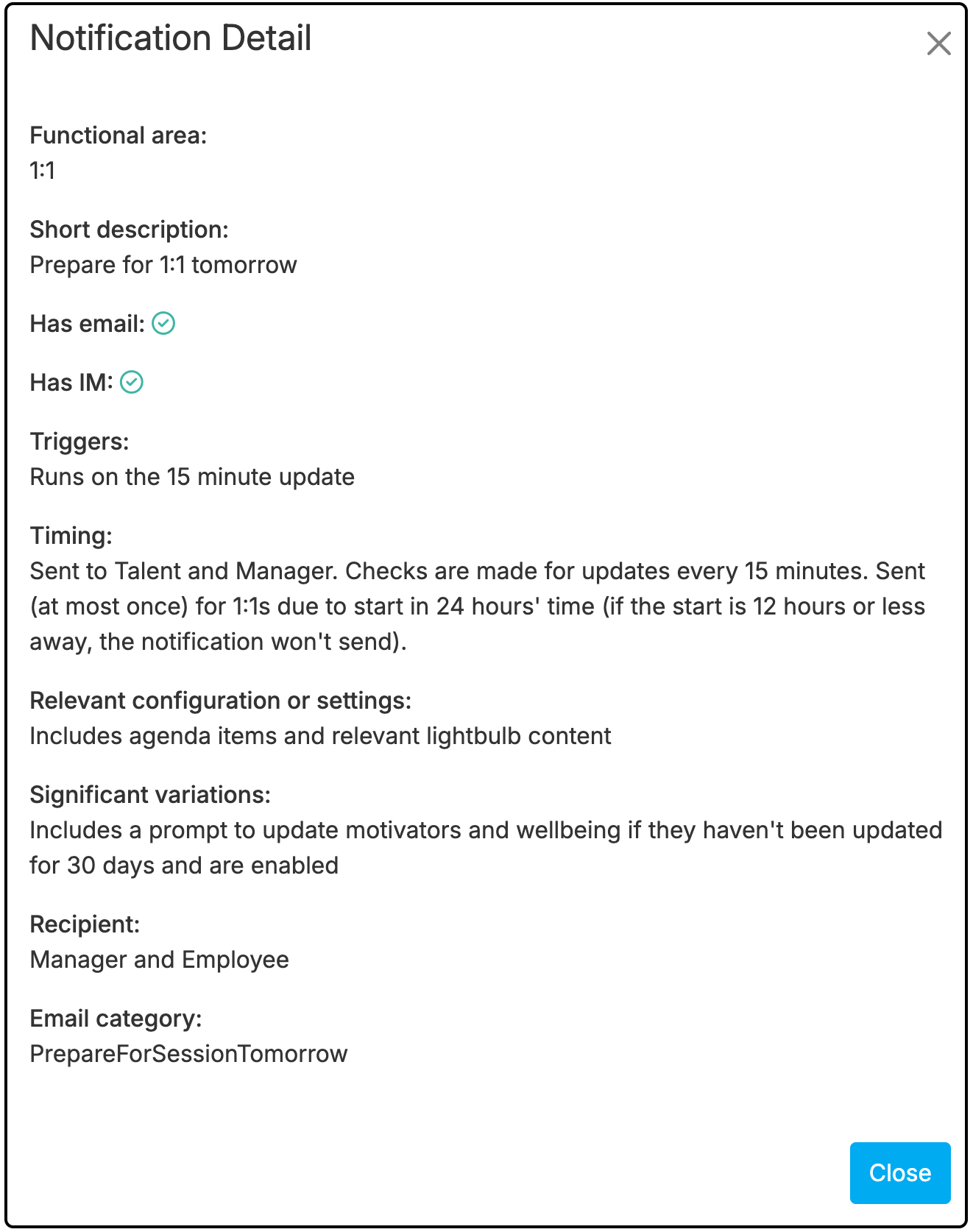
We mentioned last month that we would be looking to make some changes to the menus within the tool to help improve navigation and your overall experience when using OpenBlend. This month sees the addition of a new menu, accessible only to Admins, where you'll be able to see a comprehensive list of system notifications including how it is sent (i.e. email and/or Instant Messenger), the trigger to send it, how often it is sent, who it is sent to and a rough outline of what might be included in it.
To access this list, login as an Admin, and go to Admin > Company Settings > Email/Notifications > Notification Details.
Below is an example of the view for the notification that is sent to both Manager and Talent to alert them of a booked 1:1 which is happening tomorrow.
✨ NEW FEATURES! Develop module updates
Our Develop module has now been live for over a year, and many customers have successfully used it to introduce competency-based development discussions or elevate their existing frameworks to a more consistent, structured level.
We’re thrilled to announce a major enhancement to this module: role-specific competencies. This new functionality allows you to define the exact skills, behaviours, and proficiency levels required for each role in your organisation - and even for the roles your people aspire to. This means development conversations can now be anchored in far greater accuracy and clarity, helping managers guide employees with precision around what “good” looks like at every stage of their career path.
Unlike the existing version of the Develop module, which provides a general list of competencies for employees to choose from, this new capability enables you to create a fully tailored, role-led development experience. In many cases, it will replace the current competency-selection approach, giving you a more scalable, organisation-specific way to drive performance and growth.
If you’d like to understand how role-specific competencies could work within your organisation, please reach out to your Customer Success Manager. They’ll walk you through the new functionality, discuss practical implementation, and provide guidance on pricing.
✨ FIXED! Everything else we have done this month!
General Updates
✅ Resolved an issue that was duplicating an Agenda Item when clicked
✅ Restored a previous feature which states the name of the user that added a specific Agenda Item
✅ Introduced a 250 character limit for the 'Purpose' description for a custom 1:1 Focus Type
✅ Feedback - increased character limit to 3500
✅ Feedback - introduced character cap when typing reply to not allow text to be added beyond the character limit
✅ Feedback - allow more than one reply to be sent by a user within a 15 minute window
✅ Feedback - resolved issue that was preventing Admins from adding customised Tips and Advice
✅ Feedback - resolved issue that was meaning a label was incorrectly stating that private feedback would be shared with both Manager and Employee even when the 'Private' checkbox had been ticked
✅ Bug fixes - minor fixes throughout the tool to resolve issues in various areas including Evaluate, Actions, Objectives, User Sync, Admin settings and Agenda